
Language
Step 4: Link a Merchant Transfer Account to company or till
Terms:
Merchant Transfer Accountrefers to a bank account or M-PESA mobile wallet that you own and have added to your Kopo Kopo merchant account..Linked Transfer Accountrefers to a Merchant Transfer Account designated to receive funds transferred from your Kopo Kopo account during a blind transfer.
Set a Company-Level Linked Transfer Account:
To set a Merchant Transfer Account as the company’s Linked Transfer Account:
- Log in to your Kopo Kopo merchant account.
- From the side navigation menu, go to Payments → My Bank Accounts or My M-PESA Phones
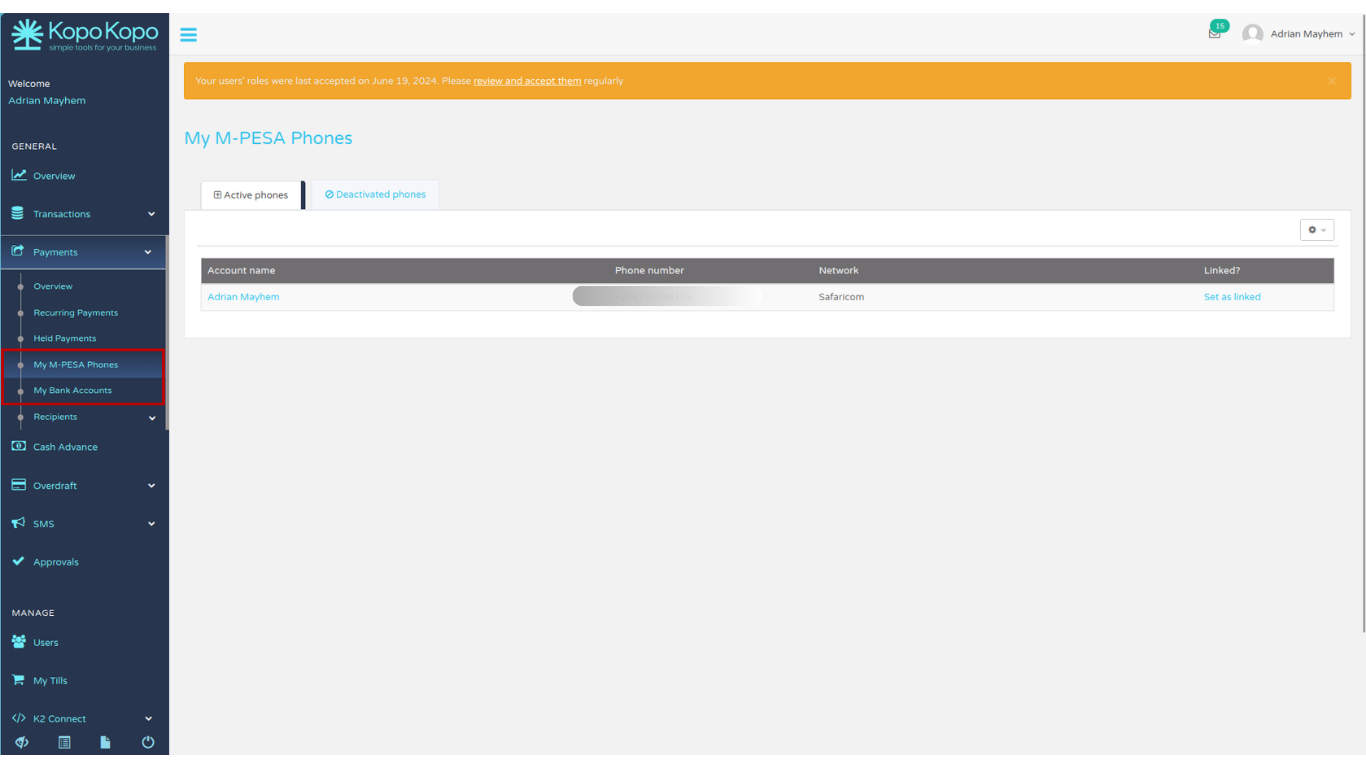
- Locate the transfer account you want to use
- In the Linked Transfer column, click Set as Linked for the selected account.
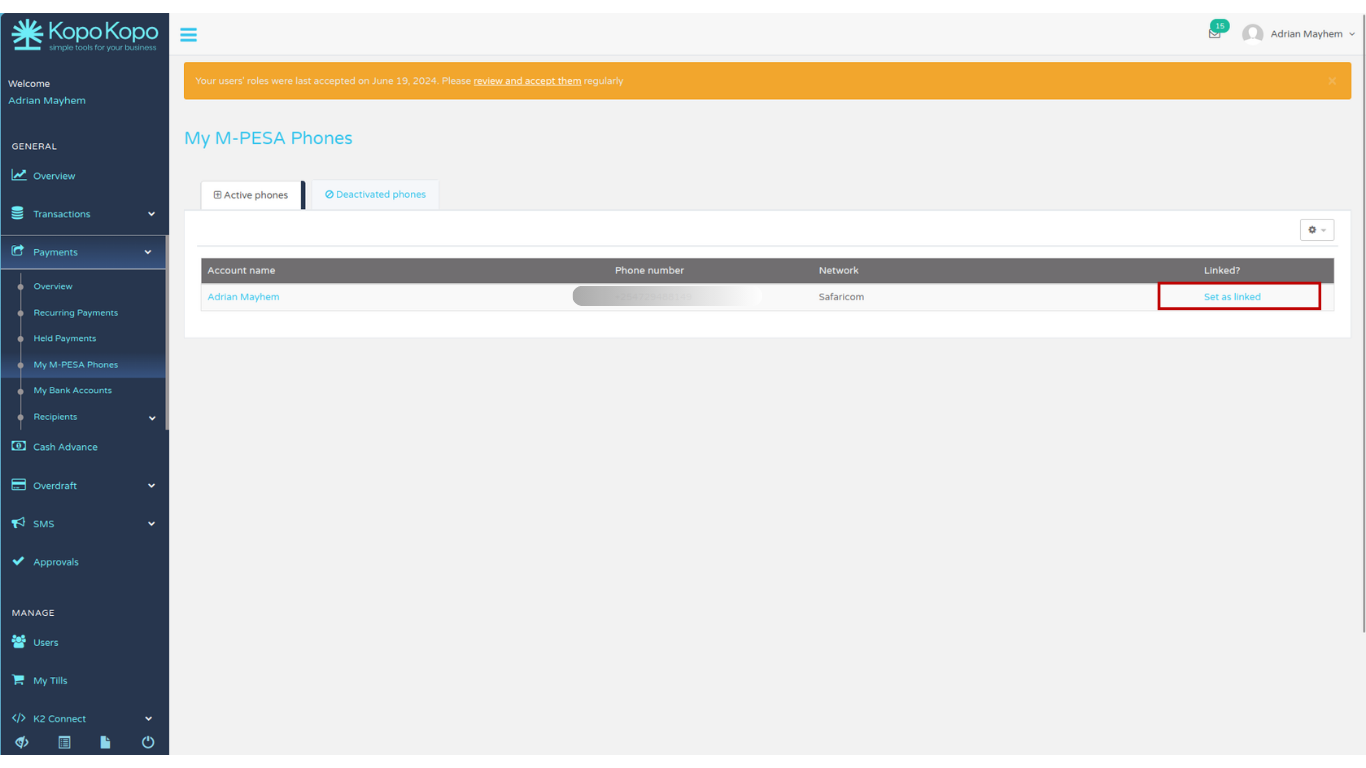
Set a Till-Level Linked Transfer Account
You can also assign a different Linked Transfer Account to each till.
- Log in to your Kopo Kopo merchant account.
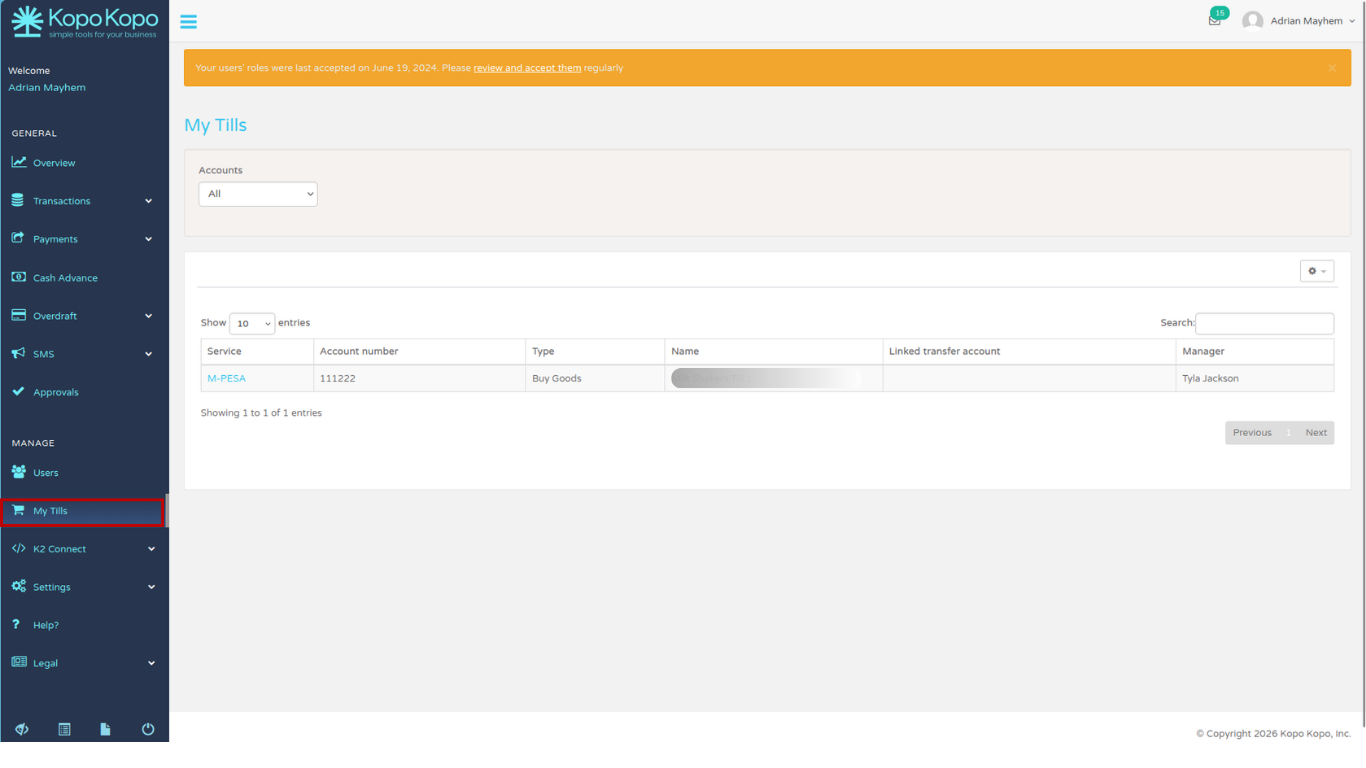
- From the side navigation menu, select My Tills.
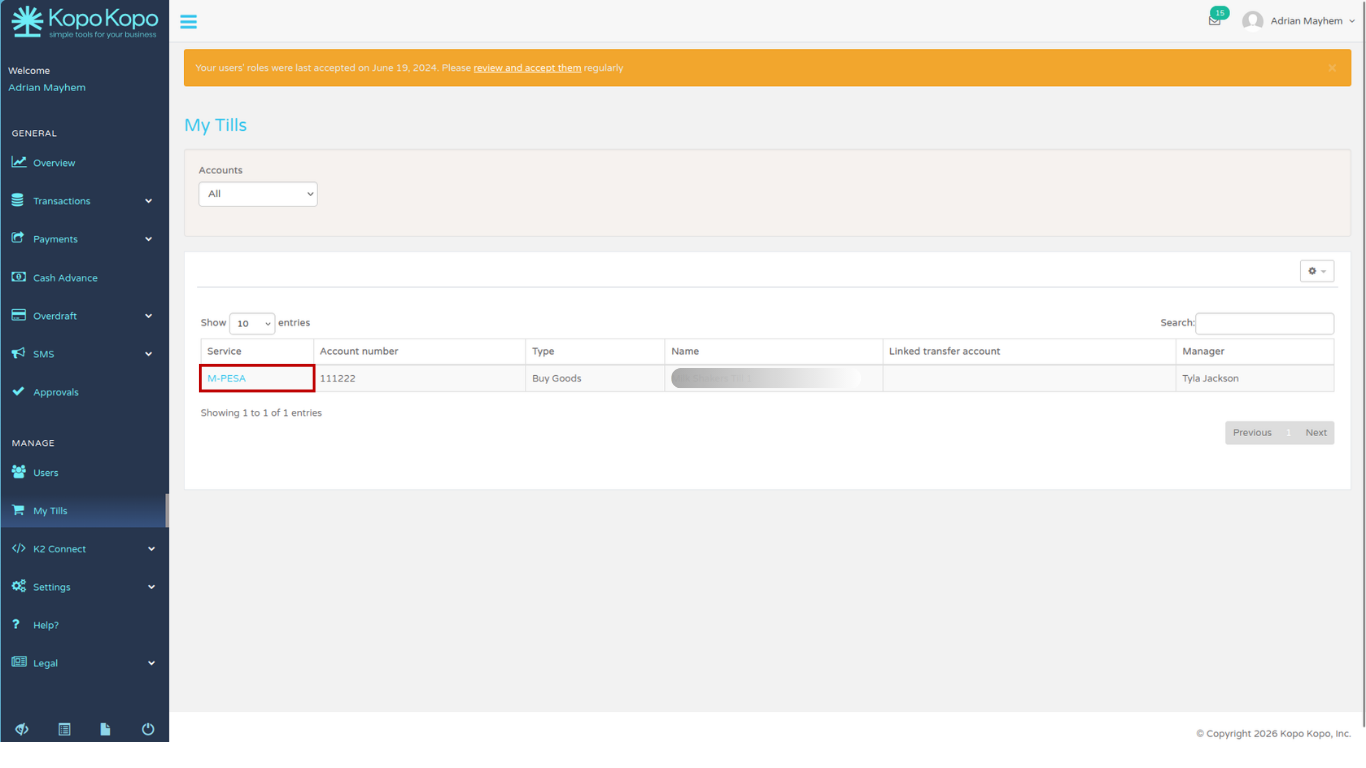
- Click the Service column for the till you want to configure.
- Click Set linked transfer account.
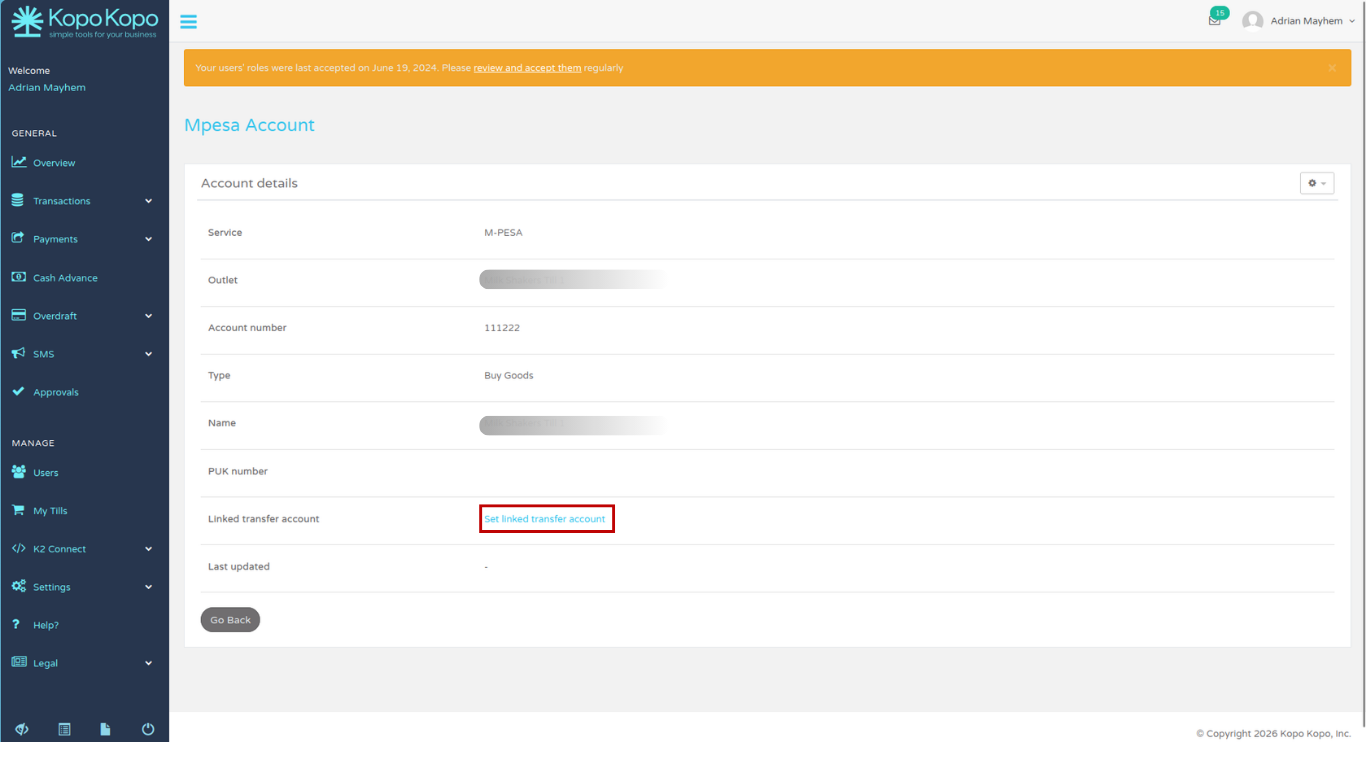
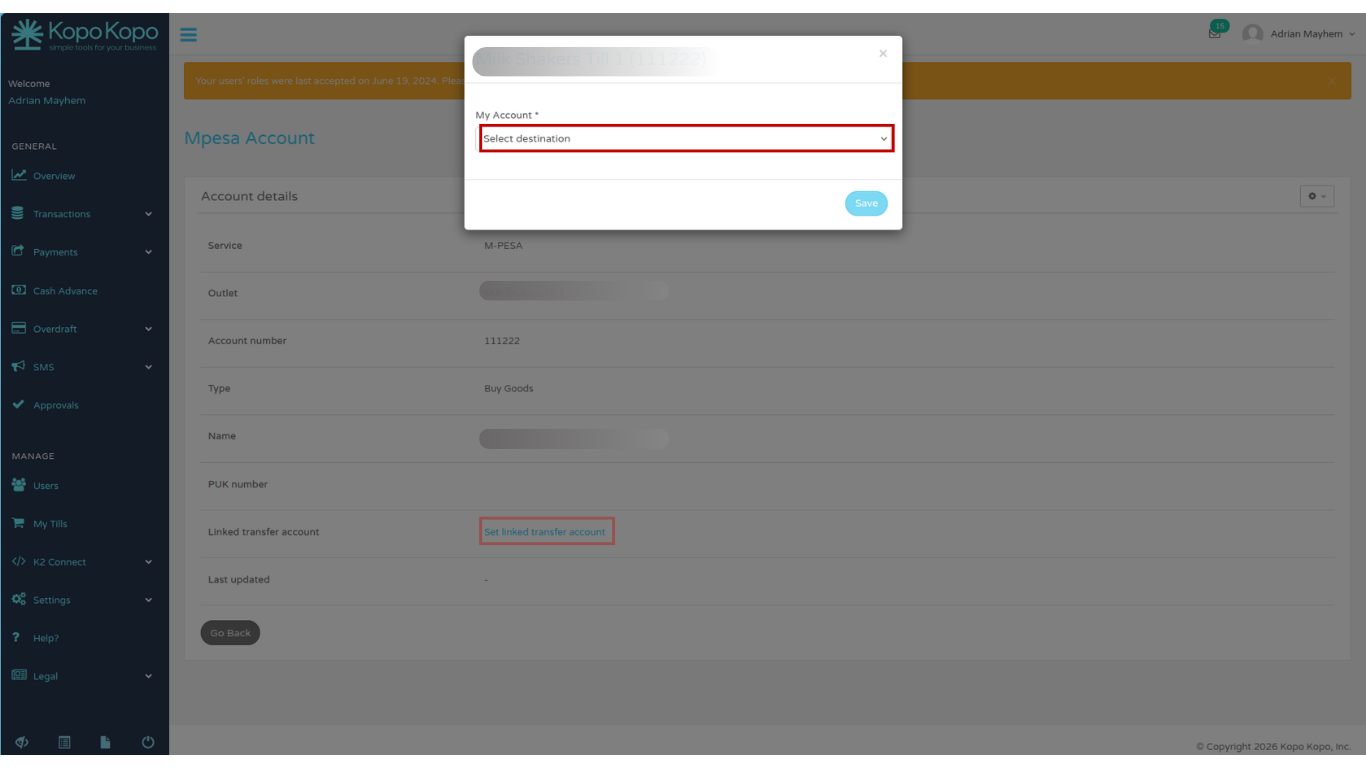
- Select the Merchant Transfer Account you want to assign to that till and save your changes.
Note: If a till has its own Linked Transfer Account configured, it will be used for blind transfers initiated from that till. Otherwise, the company-level Linked Transfer Account will be used.
© 2026 Kopo Kopo, Inc.